
Which Google Business Profile Category Should a Window and Door Company Choose?
Selecting the appropriate Google Business Profile category is a critical yet often overlooked step for window and door companies establishing local SEO. Your chosen category informs Google about your services and directly affects your visibility when homeowners search for window or door installation nearby. An incorrect category can make your business nearly invisible in the Map Pack, even with a strong website and positive reviews. The right choice maximizes your chances of ranking for searches that generate new business.
This guide explains how to choose the best primary and secondary Google Business Profile categories for a window and door company. It also covers how to decide between a windows-first or doors-first approach, and highlights common category mistakes that can limit your visibility or prompt a profile review.
Table of Contents
What’s the Best Google Business Profile Category for Window and Door Companies?
For most window and door companies, the best primary category is Window Installation Service if windows generate most revenue, or Door Supplier (sometimes listed as Door Shop) if doors are the main focus. Since Google does not offer a “Window and Door Company” category, select the category that best reflects the business’s primary function, and use secondary categories as needed.
Google’s guidance applies to all categories: your primary category should complete the sentence “this business IS a…” rather than “this business HAS a…” If a company installs both windows and doors, it qualifies as both a window installation service and a door supplier, but only one can be primary. Choose the category that represents the main source of business.
The realistic primary category options for a window and door company are:
| Category | Best fit when… |
|---|---|
| Window Installation Service | Window replacement and installation is the majority of revenue |
| Door Supplier | Door sales and installation drive the majority of revenue |
| Glazier | The business is glass-and-glazing focused, with windows and doors as part of a broader glass service |
How to Decide: Windows-First or Doors-First Primary Category
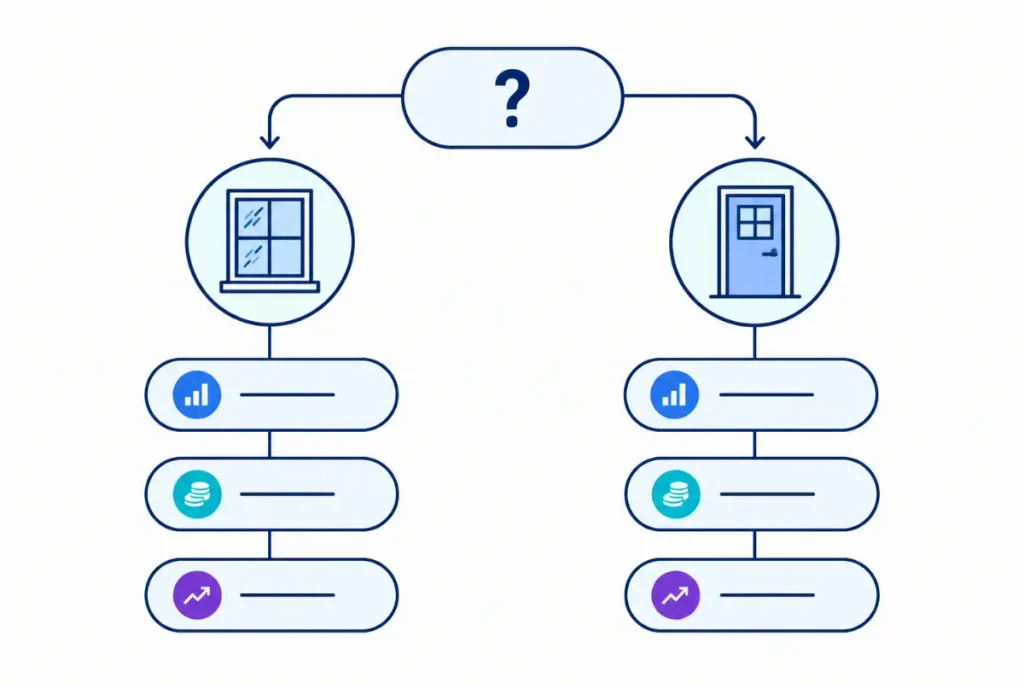
If a business offers both window and door services, select the service that generates more revenue as the primary category and list the other as secondary. The primary category most strongly affects search eligibility, so it should reflect the main source of revenue rather than the business name.
A few practical signals to weigh:
- Job volume: which service brings in more completed jobs per month?
- Ticket size: a smaller number of high-value door jobs can outweigh a larger number of lower-ticket window jobs
- Growth direction: if the business is actively trying to grow one service line, it can make sense to weight the category decision toward that direction rather than strictly historical revenue
Choosing the right category is just one part of improving your local visibility. If you are only focusing on category selection for local SEO, take a step back and look at your overall marketing as a window and door contractor. Category choice works best when you also have steady reviews, correct service areas, and a complete profile.
Best Secondary GBP Categories to Add
Secondary categories increase the types of searches a profile can rank for beyond the primary category. Google allows up to nine additional categories. For a window and door company, it is most effective to select a concise, accurate list rather than including loosely related categories.
| Secondary category | Why it’s useful |
|---|---|
| Window Supplier | Captures product-research searches from homeowners comparing window brands or types before hiring |
| Door Supplier (if windows is primary) | Covers door-specific searches without competing with the primary category |
| Glazier | Useful if the business also handles glass repair or replacement |
| Skylight Contractor | Worth adding if skylights are a genuine part of the service mix |
| Glass Repair Service | Fits businesses that also handle broken or fogged glass repairs |
| Contractor | A broad fallback category, useful mainly as a supplement, not a substitute for a specific category |
Add a secondary category only if the business can genuinely provide that service. Categories should represent actual, distinct services, not aspirational offerings or amenities. Google’s guidance advises against adding categories for incidental features instead of core services.
Category Mistakes That Can Trigger a Suspension or Re-Verification
Selecting the correct category is riskier than many window and door companies realize. Google closely reviews contractor-type businesses, and changing a profile’s category, especially to one unrelated to actual services, may prompt a re-verification request or temporary suspension.
Common mistakes worth avoiding:
- Switching categories without careful consideration can prompt a review. Moving from a category such as Window Installation Service to an unrelated one, instead of a closely related category, often triggers scrutiny.
- Adding categories that do not reflect actual services creates a mismatch between the business profile and its operations. For example, listing a general contractor license without performing general contracting work can lead to inconsistencies.
- Overlooking the distinction between window installation and door installation can cause Google to treat them differently. Google treats these as search intents. If a business offers both but only lists one, it will likely lose visibility and leads for the other.
This point is more important than it appears. If a profile only includes window installation but the business also offers door installation, it will miss half its potential customers. This directly impacts lead generation for window and door companies and is not just a minor setup issue.
Service Area Business Settings for Window and Door Companies
Most window and door companies operate at the customer’s property rather than from a retail storefront, making them well suited for Google’s service area business setting. By setting up as a service area business and hiding the street address when there is no walk-in showroom, Google will rank the profile across the cities and zip codes actually served instead of focusing visibility on a single location.
The service area should reflect where completed window and door installation jobs occur, not the broader region a sales representative may travel for estimates. A more precise service area typically results in a stronger local relevance signal than an overly broad one.
How to Update Your Category on an Existing Profile
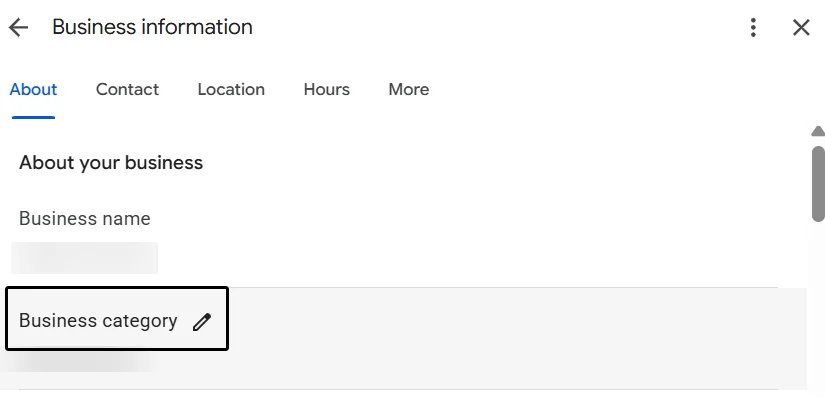
- Open the Google Business Profile and select Edit profile.
- Next to Business category, select Edit.
- Update the Primary category field, then review the current secondary categories.
- Add or remove secondary categories to reflect the services actually offered.
- Select Save.
Please note that adding or editing a category may prompt Google to request business verification again. Make these changes when the business can respond promptly to any verification requests.
FAQ: Google Business Profile Categories for Window and Door Companies
Want Better Local Visibility for Your Window and Door Company?
Choosing the right Google Business Profile category is one piece of the puzzle. Selecting the right Google Business Profile category is just one aspect of local SEO for window and door companies. Reviews, accurate service areas, and a complete profile are also important. For a detailed assessment of your company’s local search visibility, consider Dynamic Orbit Media’s SEO services for window and door companies.