Google Maps SEO for Garage Door Installers: Win More Local Jobs
When a homeowner needs urgent garage door repair, they rarely look beyond the first page of Google. Most will contact one of the top three businesses in the local map pack. That’s the reality of Google Maps SEO for garage door installers. For emergency and near-me searches, your map pack position matters more than almost anything else you do in marketing.
This guide explains how Google ranks local results, how to create a competitive Google Business Profile (GBP), and how to address issues if your listing drops or is suspended.
Table of Contents
Why Google Maps Rankings Matter More Than Your Website for Garage Door Leads
Most garage door searches have clear local intent, such as “garage door repair near me,” “garage door installer [city],” or “emergency spring repair.” Google responds by displaying the local 3-pack before any organic results. For homeowners facing urgent issues, the map pack is not just a visibility channel; it represents the entire buying journey, condensed into three business listings and a “Call now” button.
Google ranks local results using three core factors:
- Relevance — how well your Business Profile matches what the searcher typed
- Distance — how close your listed location or service area is to the searcher
- Prominence — how well-known and well-reviewed your business is, both online and off
This presents a unique challenge for garage door installers. You compete in crowded metro markets against national franchises with many locations, thousands of reviews, and dedicated marketing teams, often while operating from a single office or a mobile service area.
Success in the map pack does not depend on size, but on systematically optimizing every measurable signal, from category selection to review frequency and photo updates. The following sections address how to resolve these structural challenges.
The Location Factor: Getting Your Service Area Right
Why Your Listed Address Has to Match Your Target City
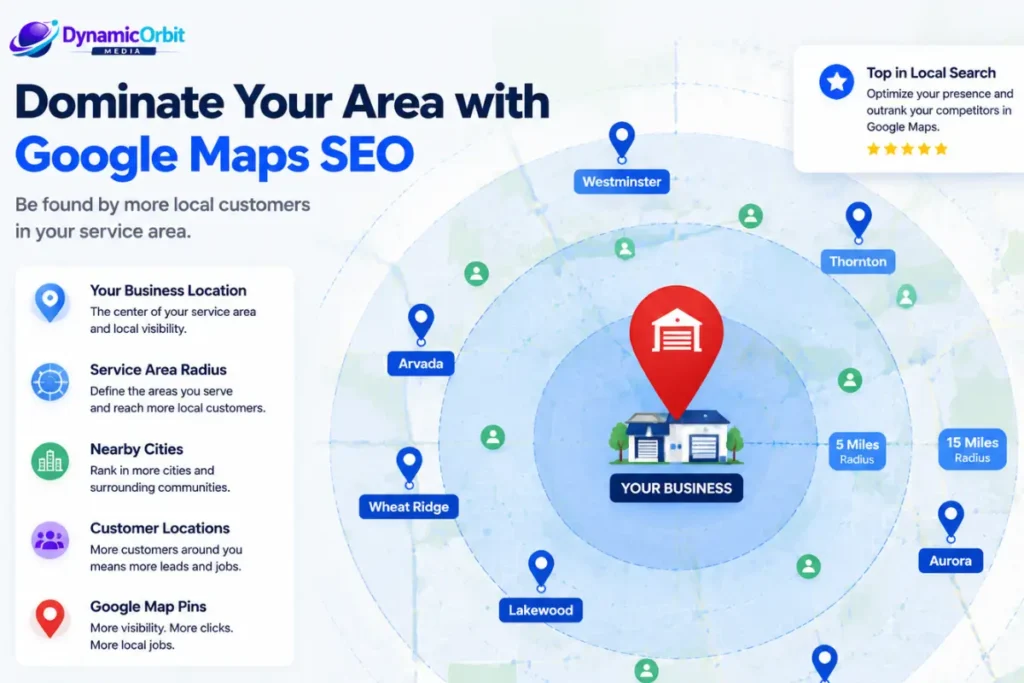
Geo-targeting is essential for Maps ranking. When users search for terms like “garage door installer” or “garage door repair,” Google interprets these as near-me searches and matches businesses based on proximity. If your address is outside your target city, ranking becomes significantly more difficult. Businesses in suburban locations will have trouble appearing in searches focused on the downtown core, regardless of their reviews or content quality.
Service-Area Business vs. Physical-Address Listings
Garage door companies typically fall into one of two GBP setup types:
| Listing Type | Best For | Trade-off |
|---|---|---|
| Physical-address listing | Companies with a showroom, warehouse, or staffed office | Strongest ranking signal, but requires a real, staffed location — not a mailbox or virtual office |
| Service-area business (SAB) | Truck-based or multi-city operations without a public storefront | Hides your exact address from the public, but generally ranks with less authority than a verified physical location |
If you are considering leasing a small office, the decision is often straightforward in competitive cities: a $200–$400 per month office within your target city can be the difference between missing the map pack and securing a top-three position. Google and Yelp handle service-area business listings differently. Yelp is generally more flexible about hidden addresses, while Google enforces stricter verification to ensure businesses genuinely operate in the regions they claim.
Avoiding Fake or Duplicate Location Listings
Setting up a P.O. box, virtual office, or false listing to appear in a city you do not serve violates Google’s guidelines and can quickly result in suspension. Google has increased enforcement in home-service categories, including garage doors, due to past abuse by companies creating fake listings across metro areas. If you legitimately serve multiple cities, you must either maintain a staffed location in each area or configure your service-area business correctly, rather than creating duplicate profiles.
Multi-City Coverage: Landing Pages and Separate Listings
If you serve multiple cities or neighborhoods, a single generic “service areas” page on your website will not significantly improve your local ranking. Each city or major neighborhood should have a dedicated landing page with locally relevant content, such as references to nearby landmarks, city-specific testimonials, and service details tailored to that area. This strengthens the relevance signal Google uses to match your business to local searches.
Regarding separate GBP listings for each city: generally, this is not necessary unless you have a genuine physical presence, such as a staffed office or warehouse, in that city. For most installers, a single profile with a properly configured service area and supporting city-specific landing pages is the compliant and sustainable approach. Creating multiple listings without real locations often leads to your profiles being flagged for review.
Building a Fully Optimized Google Business Profile
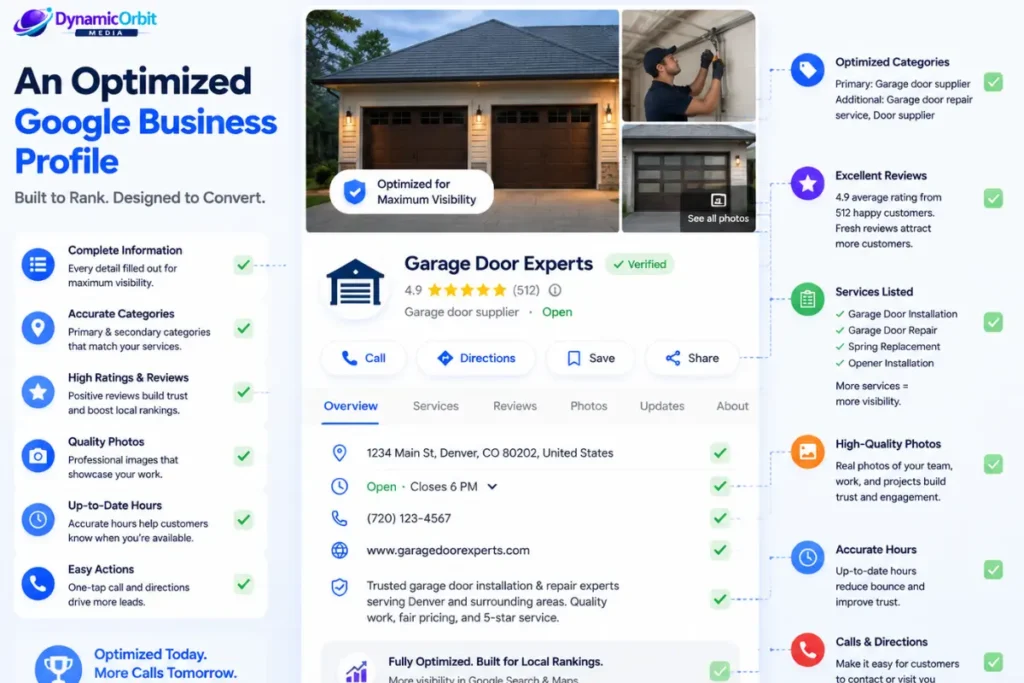
For most map pack searches, your Google Business Profile (GBP) contributes more to your ranking than your website. Each field serves as a signal; completeness, accuracy, and activity all influence Google’s assessment of your prominence and relevance.
Choosing the Right Primary and Secondary Categories
Selecting the appropriate category is one of the most impactful changes you can make to your garage door GBP listing. Your primary category should represent the main source of your revenue:
- Repair-heavy business: primary category “Garage Door Repair Service”
- Installation and sales-heavy business, especially with a showroom: primary category “Garage Door Supplier”
- If your services are evenly split, choose your higher-margin service as the primary category and use secondary categories to represent the others.
Google permits several secondary categories in addition to your primary. Use these to cover related services, such as entry doors, gate installation, or opener repair, without weakening your primary category’s relevance. Avoid adding unrelated categories, as this can reduce your profile’s effectiveness.
Writing a Services Section That Captures Every Query
The services menu within GBP is often underutilized in this industry. When used effectively, it acts as keyword-indexed content on your profile, allowing Google to match your listing to specific, high-intent searches that may not appear on your homepage. List each distinct service you offer, providing a brief, clear description for each:
- Torsion spring replacement
- Cable repair
- Opener installation and repair (specify brands if you service multiple, such as LiftMaster, Chamberlain, or Genie)
- Panel replacement
- New door installation
- Weatherstripping and insulation
- Emergency/same-day repair
Each of these represents an actual search query. Limiting your services menu to only “Repair” and “Installation” misses valuable opportunities to signal relevance.
Crafting a Business Description That Leads With What Matters
GBP allows up to 750 characters for your business description, but only the first 250 characters are visible before the “more” link. Begin with key differentiators such as your service area, specialty, and years in business, rather than generic marketing language. Reserve awards, certifications, and additional details for later in the description.
Photo Strategy
Photos provide a significant trust and engagement signal in this industry. Businesses with an up-to-date, comprehensive photo library consistently receive more direction requests and website clicks than those with limited or outdated images. For garage door companies:
- Volume: Start with at least 10 to 15 well-lit photos and continue to add new images regularly.
- Categories to prioritize: completed installations, technicians at work, branded vehicles or uniforms, before-and-after photos, and team members.
- Cadence: Add new photos regularly. Even a few per month indicate to Google that your business is active and legitimate.
A unique aspect of this category is that Google dynamically reorders which photos appear first based on the search term. For example, a search for “garage door opener replacement” will display opener-related photos before general door images. This highlights the importance of maintaining a comprehensive and varied photo library that covers all your services, rather than relying on a small, curated selection.
Hours, Messaging, and Emergency Availability
Leaving your business hours blank or outdated can prevent your profile from appearing in time-sensitive searches. If you offer 24/7 emergency service, indicate this clearly instead of using default hours that may suggest you are closed. Enable direct messaging through your profile, as many homeowners prefer to message before calling, especially for non-emergency quotes. A slow or disabled response channel can result in lost leads that Google does not report.
What a Fully Optimized Profile Looks Like, Field by Field
| Field | What “optimized” looks like |
|---|---|
| Primary category | Matches majority revenue service exactly |
| Secondary categories | 2–5 closely related services, no dilution |
| Business description | Key differentiators in first 250 characters |
| Services menu | Every distinct service, plain-language descriptions |
| Hours | Accurate, updated for holidays, 24/7 marked if true |
| Messaging | Enabled and monitored daily |
| Photos | 10+ to start, added monthly, covering every service category |
| Reviews | Actively requested, every review answered within 48 hours |
| Posts | Weekly, mixing offers, completed jobs, and tips |
NAP Consistency Across Your Website and Listings
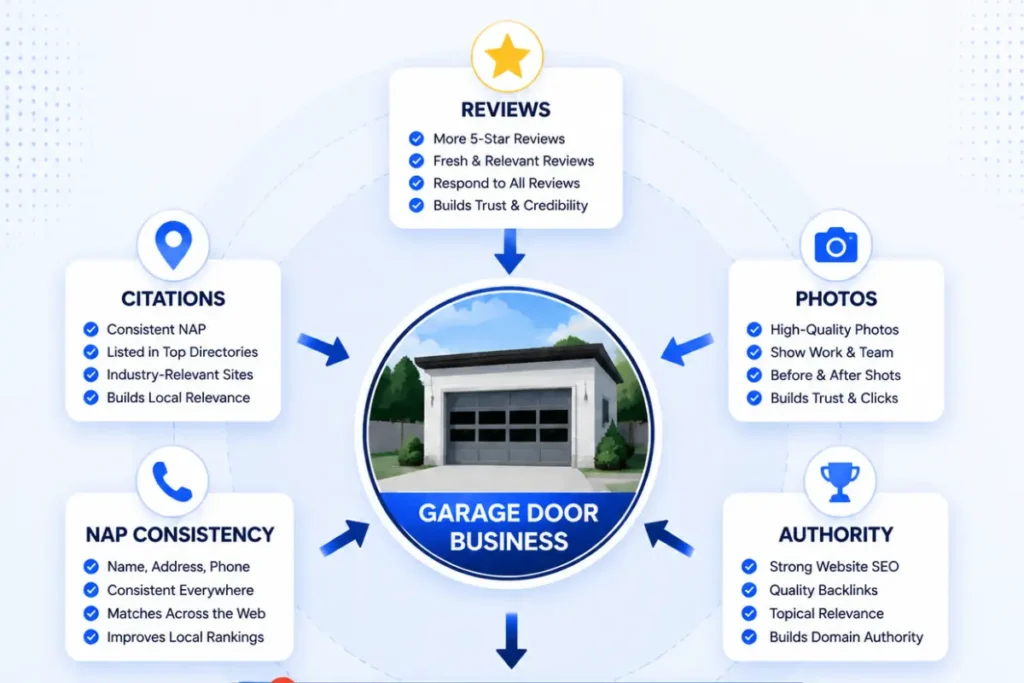
Consistent, exact-match Name, Address, and Phone number (NAP) across your website, GBP, and all directory listings is a key trust signal. This consistency is important not only for ranking but also for verification. If your listing is suspended, inconsistent NAP data is a common reason for delayed reinstatement, as Google’s review team may struggle to verify your business.
Common NAP inconsistencies are often overlooked, such as outdated suite numbers on contact pages, unupdated website footers after a move, and old directory listings on platforms like Yelp, Angi, BBB, or Facebook. Even minor formatting differences, such as “St.” versus “Street” or a missing suite number, can cause Google to view them as separate, less trustworthy entities. Audit your NAP information quarterly rather than treating it as a one-time task.
Reviews as a Ranking and Trust Signal
While the number of reviews is important, recent reviews are even more valuable. A profile with 40 reviews from the past six months demonstrates an active, trusted business more effectively than a competitor with 200 older reviews. Both Google’s algorithm and potential customers may view outdated review patterns as a sign of declining reliability.
Establish a consistent process for requesting reviews rather than making occasional requests:
- Send automated review requests at job completion, using SMS or email, as these methods are more reliable than verbal requests from technicians.
- If there is no response, follow up once a few days later.
- Do not offer incentives in exchange for reviews, as this violates Google’s policies and may result in suspension of your listing.
Respond to all reviews, both positive and negative, within 48 hours. For negative reviews, maintain a calm, solution-focused tone and use service-relevant language naturally. For example, “We’re sorry your opener installation didn’t go smoothly” is authentic, while responses focused solely on keywords may appear insincere to both Google and potential customers.
Keeping Your Listing Active: GBP Posts and Feeding the AI Answer Engine
Google considers active profiles more trustworthy. Posting weekly—alternating seasonal offers, completed job photos, and maintenance tips—keeps your listing active between review cycles. Consistent, simple posts, such as a photo with brief context, are more effective than infrequent, lengthy updates.
Google has discontinued the manual Q&A feature, replacing it with an AI-powered “Ask about this place” tool. This system automatically generates answers using information from your business profile, customer reviews, photos, and website content. As a result, questions such as “Do you offer same-day repair?” or “What areas do you service?” are now answered by Gemini, which relies on available business data.
This shift means it is now essential to ensure your business information is accurate and comprehensive. The following three areas are most important:
- Ensure all GBP fields are complete and specific. Your services menu, business description, and hours now serve as primary sources for AI-generated answers as well as profile content.
- Provide website content that directly addresses common questions. A dedicated FAQ or service section covering same-day availability, opener brands, and your exact service area gives the AI a reliable source, reducing the risk of inaccurate or competitor-sourced answers.
- Encourage reviews that mention specific services, response times, or neighborhoods. Detailed and recent reviews help the AI generate accurate answers, making specificity in review requests important beyond just star ratings.
If your previous Q&A section contains valuable answered questions, export this content before it is removed. Incorporate it into your website’s FAQ or service pages to retain its value, even though the on-listing thread will be lost.
Local Citations and Brand Authority Beyond Your Own Listing
Citations, which are mentions of your business name, address, and phone number on other directories, reinforce your business’s prominence and independently verify your details. Not all directories offer equal value. Prioritize the following:
- High-authority general directories such as Yelp, Angi, BBB, Nextdoor, and Facebook
- Industry-specific directories, including garage door and home-service trade directories that are relevant to your field
- Local directories, such as your city or regional Chamber of Commerce and local business associations
Chamber of Commerce membership, local press coverage, and sponsorship of community events all contribute to a broader local relevance signal. These are more difficult to fabricate than citation listings and are more valuable when Google’s algorithm assesses prominence.
Beyond citations, building genuine topical authority through content such as service pages, city-specific landing pages, and maintenance guides supports your Maps presence rather than competing with it. Google increasingly views your website as corroborating evidence for the claims made in your GBP profile. For example, a listing that claims expertise in torsion spring replacement, supported by a detailed website page on the topic, provides a stronger signal than the listing alone.
Lesser-Known Signals Worth Testing
Several signals frequently appear in local SEO discussions without direct confirmation from Google. These should be considered testable hypotheses, not definitive ranking factors.
- Driving-directions requests may serve as an engagement signal. Some practitioners note a correlation between higher numbers of “Directions” taps and improved rankings, although this has not been confirmed as a ranking factor.
- Social proof activity, such as YouTube views or Facebook engagement, has shown some correlation with ranking changes for certain businesses. However, causation is unproven and may reflect existing business prominence.
Consider testing both signals over a quarter, monitoring ranking changes alongside these activities. Do not assume either will independently impact rankings.
When Something Goes Wrong: Suspensions and Ranking Drops
Common Causes of GBP Suspension
Garage door listings are often suspended or suppressed for several common reasons:
- Address mismatches: The listed address does not match a real, verifiable location.
- Prohibited or inaccurate category use: Selecting categories that misrepresent the business or include unrelated categories.
- Spam flags: These are often triggered by duplicate listings or a sudden, unnatural increase in reviews.
It is important to distinguish between two types of issues, as each requires a different solution. An outright suspension removes your listing from search results entirely. Suppression is less obvious; your profile remains visible but ranks poorly because Google has flagged an issue, often related to policy violations or duplicate content. If your rankings have dropped but your listing still appears when you search your business name, suppression is likely the cause rather than a ranking algorithm change.
Step-by-Step Reinstatement
- Identify the likely cause by reviewing Google’s suspension notice or checking the Business Profile dashboard.
- Resolve the underlying issue, such as updating the address, adjusting categories, or removing duplicate listings.
- Submit a reinstatement request through Google’s official appeal process.
- If requested, provide documentation to verify your business, such as business licenses, utility bills, or lease agreements that match your listed address.
- The review process may take several days to a few weeks. Avoid submitting multiple appeals in quick succession, as this can delay the process.
Diagnosing a Sudden Ranking Drop
Not every ranking drop indicates a suspension. Before taking further action, consider the following factors:
- Competitor changes, such as a nearby business adding a physical location, increasing review activity, or updating their category selection.
- Algorithm updates, as Google periodically adjusts how it weighs local ranking factors. If many businesses in your area experience a drop simultaneously, this may be the cause.
- Your own listing edits, as even well-intentioned changes such as a category update or address correction can temporarily affect ranking while Google re-evaluates your profile.
Organic Map Pack vs. Paid Local Services Ads
The map pack (organic local results) and Local Services Ads, also known as Google Guaranteed, are separate systems. They may appear together in search results but operate differently.
| Organic Map Pack | Local Services Ads (Google Guaranteed) | |
| Cost model | No direct cost per click | Pay-per-lead |
| Requirements | GBP optimization, reviews, citations | Background check, license/insurance verification, Google Guaranteed badge |
| Placement | Below or beside ads, in the 3-pack | Typically above organic results and ads |
| Time to results | Weeks to months of sustained work | Can generate leads almost immediately after approval |
For most garage door companies, the two systems work together rather than compete. LSAs help fill immediate lead gaps or quickly enter new markets, while organic map pack rankings provide long-term, cost-effective visibility. Installers in highly saturated metros, where organic map pack competition is strong, often rely more on LSAs initially while building organic authority. In less competitive markets, organic rankings alone are often sufficient.
How AI Search Is Changing Local Visibility
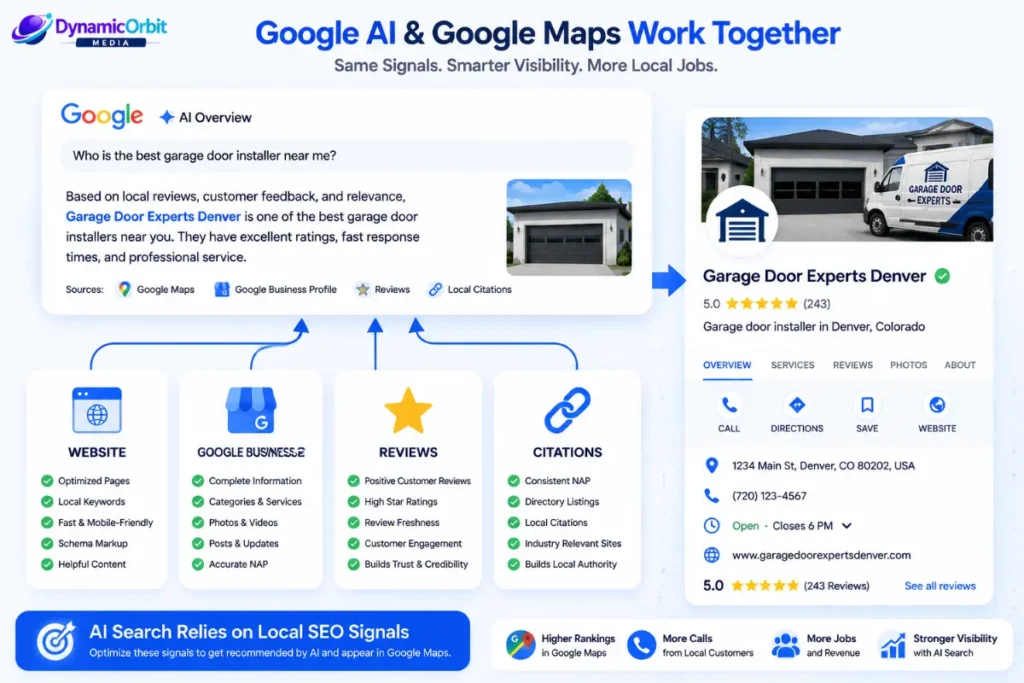
Google’s AI Overviews and other AI-driven search tools rely on the same data sources as traditional local search: your GBP listing, website content, and third-party citations and reviews. If a garage door company has an incomplete profile or limited website content, it risks losing map pack visibility and is less likely to appear in AI-driven queries such as “what’s the average cost to replace a garage door spring in [city].”
For installers, the key takeaway is that strong fundamentals are even more important in an AI-driven search environment. Maintaining complete, accurate, and regularly updated GBP data, along with clear, well-structured website content that answers common questions, remains essential. There is no separate “AI SEO” strategy for garage door companies; focusing on the core practices outlined in this guide is the best way to prepare for AI-driven local search.
A 30/60/90-Day Google Maps SEO Action Plan
Days 1–30: Audit and Fix
- Ensure NAP (Name, Address, Phone) information is consistent across your website, Google Business Profile, and major directories.
- Verify that your primary and secondary categories accurately reflect your main sources of revenue.
- Complete all fields in your Google Business Profile, including services, hours, description, and messaging.
- Implement an automated system to request reviews from customers after each job.
Days 31–60: Build Authority
- Submit new or update existing listings on high-priority citation directories.
- Establish a weekly schedule for posting photos and updates to your Google Business Profile.
- Populate the Q&A section with answers to your most frequently asked customer questions.
- Create or update city-specific service area landing pages if your business serves multiple locations.
Days 61–90: Measure and Refine
- Monitor ranking changes using Google Business Profile Insights, Google Search Console, and a local rank-tracking tool such as BrightLocal.
- Track the frequency and recency of reviews, not just the total number.
- Experiment with lesser-known ranking signals, such as post-driven direction requests or video content, and evaluate their impact on rankings over the quarter.
- Review and adjust your category and service menu selections based on the search terms that generate customer calls.
Final Thoughts
Achieving strong Google Maps SEO for garage door installers requires optimizing every controllable signal Google measures. This includes maintaining an accurate location, a complete business profile, consistent NAP data, a steady stream of recent reviews, and ongoing activity to demonstrate your business is active. While these steps are straightforward, few competitors execute them consistently. Those who do tend to maintain their map pack rankings for years rather than months.